
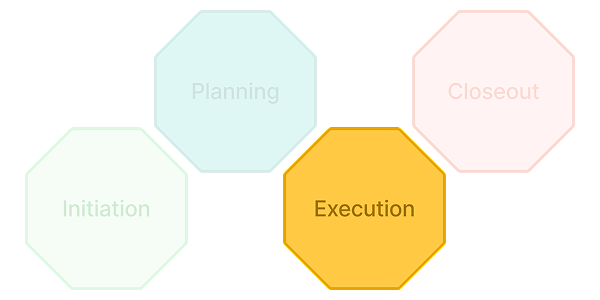
Execution: Turn a Plan Into Progress You Can Prove
Value Proposition
Execution Is Where Plans Meet Reality — PACE Keeps Them Connected
A plan is only useful if you can tell, at any moment, how far reality has drifted from it. That means progress has to be measured the same way it was planned, risk has to be tracked against real triggers instead of gut feel, and the forecast has to move when the facts move — not once a month when someone finally has time to update a spreadsheet.
PACE keeps execution anchored to the plan it came from. Progress rolls up through the same WBS that was built at Planning. Actual costs post against the same cost codes the budget was built on. The forecast recalculates from the same estimate that got the project approved. Nothing has to be reconciled after the fact, because nothing was ever disconnected in the first place.
Common Execution Challenges
• Progress is reported as a gut-feel percentage instead of something calculated from real quantities or effort
• Risks get discussed in meetings but never tracked with an owner, a mitigation plan, or a contingency reserve
• Forecasts lag reality because actuals only get reconciled when someone finds the time
• Status reports are rebuilt from scratch each period — copying numbers out of five different systems into a slide
• Revenue, invoicing, and asset in-service dates are tracked in disconnected spreadsheets instead of the same system that’s tracking delivery
Common Elements — What Happens During Execution
Collaborate on Performing Work and Gather Progress
Update progress the way the work actually gets measured — by weighted effort, physical quantity, manual entry, or the passage of time against the schedule — instead of forcing every task into the same one-size-fits-all method.
Inside PACE: PACE lets each task use one of four progress methodologies (Weighted Effort, Work Quantity, Manual Entry, or Schedule-Based), and keeps a full Progress Audit — a historical record of every update, calculation, and rollup — so how a number got there is never a mystery. Once a task is marked Complete, it locks against further edits and new cost postings.
Share Documents and Complete Deliverables
Route shop drawings, submittals, and technical documentation through a single review cycle, and close out deliverables with progress calculated from real quantities — not estimated.
Inside PACE: Submittals move through a 5-stage cycle (Register → Request → Submit → Review → Distribute & Close) with a Ball in Court assignment at every step, so it’s always clear whose action is next — and subcontractors can upload through a secure external link without needing a full PACE license. Deliverables calculate Percent Complete automatically as Actual Quantity divided by Planned Quantity, and trigger an approval workflow the moment a deliverable reaches 100%.
Identify, Manage and Mitigate Risks
Log risks with an owner, a mitigation strategy, and a financial reserve attached — not just a description in a spreadsheet row.
Inside PACE: Risk Level is calculated automatically from Likelihood × Impact and can’t be manually overridden, and the Net Contingency Amount updates with it — so the reserve set aside for a risk always reflects its current severity. A Risk Library lets teams reuse known risks across projects instead of rediscovering the same ones every time.
Review Commitments and Charged Costs
See committed costs (purchase orders, supplier invoices) alongside actual charged costs, refreshed on a cadence that keeps the picture current instead of stale.
Inside PACE: Actuals refresh directly from timecards, timesheets, and approved supplier invoices, with a mandatory refresh enforced every two to three weeks — and PACE distinguishes the last manually synced Actual Cost from the live, continuously updated Inception-to-Date (ITD) Actuals feed, so teams always know which number they’re looking at.
Manage Changes and Submit Forecasts
Submit a new Estimate to Complete as real conditions change, and route in-flight changes through a structured Change Order process that blends back into the active budget and forecast once approved.
Inside PACE: ETC recalculates automatically as Proposed Cost minus Actual Cost, and teams can model a New Forecast Version to test a what-if scenario without touching the live forecast — promoting it only if it holds up, or using Revert to Current EAC to roll back to the last approved baseline if something needs to be undone.
Generate and Submit Status Reports
Build a status report from data that’s already live in the system — financials, risk, deliverables, task assignments — instead of manually pulling numbers into a slide every period.
Inside PACE: Status Reports pull directly from connected modules as of a fixed ‘As of Date,’ so each report is a defensible snapshot of exactly where the project stood at that moment. Only one report per review type can be In Progress at a time, and once marked Completed, a report becomes permanently read-only — a clean, auditable history of every period’s status.
Contract Projects
For Service Providers (EPC, engineering, construction, consulting) delivering contract work.
Review Revenue and Customer Invoices
Track billing and accounts receivable with the same visibility used to track delivery — so financial health and project health are read from the same source.
Inside PACE: Portfolio dashboards for Contract-class work include dedicated widgets for Aged AR trend, Aged unbilled trend, Billing & AR details, Net receivables, and Profit and loss — and revenue is governed by the same rule enforced upstream at Planning: it can never be booked to exceed what was actually agreed with the client.
Asset Development
For Owners executing capital investment.
Define Assets and Place in Service as Assets Are Completed
Register the physical assets a capital project produces, and mark them in service as they’re completed — creating a direct, traceable link between capital spend and the resulting asset.
Inside PACE: Each asset record carries its type, in-service date, book, units, location, and the task it’s tied to — the same registry that was linked to the project’s planning structure earlier in the lifecycle, now closed out as assets actually come online.
Why Execution Connects to Everything Around It
Execution Doesn’t Reconcile Against the Plan Later — It’s Measured Against It in Real Time
Because progress, cost, risk, and forecasts are all tracked against the same WBS, budget, and estimate that were approved earlier in the lifecycle, execution isn’t a separate system that has to be reconciled against Planning after the fact. It’s the same connected structure, updating in real time — which is exactly what makes Closeout straightforward: there’s no gap between what was tracked during execution and what gets certified at the end.
Outcomes — What Organizations Gain
Progress numbers that reflect how the work is actually measured, not a rough estimate
Risk reserves that update automatically as severity changes, instead of a static number nobody revisits
Forecasts that stay current on an enforced cadence, not whenever someone finds time
Status reports built from live data in minutes, with a permanent, auditable history