Capital project management software built around task tracking misses the context project controls teams actually need. If you search for the category, you’ll find plenty of options. Some are built around tasks, backlogs, and collaboration, while others are designed for large and complex projects but demand significant configuration and effort to manage.
None of them, on their own, answer the question that actually matters on a capital program: what happens when an action slips?
An action might be tied to a schedule milestone, a contract obligation, a change request, a project risk, or an approval. In most cases, it even involves several stakeholders who work from different locations or organizations. By the time a project includes hundreds of people and thousands of moving parts, simply knowing whether an action is open or closed tells you very little about its impact on delivery.
Capital project teams need to see how actions connect to the broader project. They need to know what they affect, what depends on them, and how they could influence cost, schedule, risk, and forecast. Action tracking is necessary, but it’s just one piece of project control.
When Action Tracking Isn’t Enough
On paper, an action item follows a simple and straightforward principle. Someone owns something, there’s a due date, and it gets marked complete. It gets more complicated once you add the realities of a capital program: a mix of office and field teams, formal approvals before an action can close, schedule dependencies tied to Primavera P6 or Microsoft Project, and a contract that determines who can sign off.
You end up managing things in different platforms and ways:
- The action items live in one system
- Approvals happen in an email thread
- The schedule connection is in a spreadsheet that needs manual updates
- Contract reference in a folder nobody can find without asking the person who filed it.
None of these pieces are connected. By the time an action is marked complete, three people may have already asked whether it’s actually done.
This is a common problem for teams managing infrastructure, energy, and heavy industrial projects. The tools either assume a small, self-directed team, or they expect you to build your own reporting logic to make sense of everything once the data is in the system.
If your team spends more time getting multiple systems to agree than analyzing what the data is telling you, your people are managing the software instead of managing the project.
Putting Actions in Project Context
An action item without context is just a sentence with a due date. It doesn’t tell you what happens if it slips, who needs to sign off before it can close, or whether the person responsible can actually see it. Context is what turns a task into something a project controls team can manage. Most of the time, it’s the piece that gets lost when actions are managed separately from the rest of the project.
For capital project teams, that context comes from connecting actions to the systems and processes that govern delivery.
- Actions tied to the schedule
When an action item sits within the WBS (work breakdown structure) rather than in a separate list, it carries context, including which deliverable it affects, which activity it could block, and what happens downstream if it slips. Nobody has to manually cross-reference a task list against a P6 export just to determine whether a delay actually matters.
- Approval flows are part of the process
Capital projects run on approvals. There are cases where a change may need an engineer’s review before it goes to the client or a cost item needs approval before it becomes part of the budget. Rather than exporting a list to email and chasing signatures, PACE allows organizations to configure who needs to approve what, in what order, and routes the action through that chain automatically. All done with a record of who approved it and when.
- Access that matches who’s involved
A capital program’s stakeholder list rarely stops at internal staff. Subcontractors, joint venture partners, and client representatives may need to see or act on specific items without having access to the entire project environment. Role-based access lets external parties participate in the parts of the workflow that involve them, without opening up everything else.
- A place people actually check
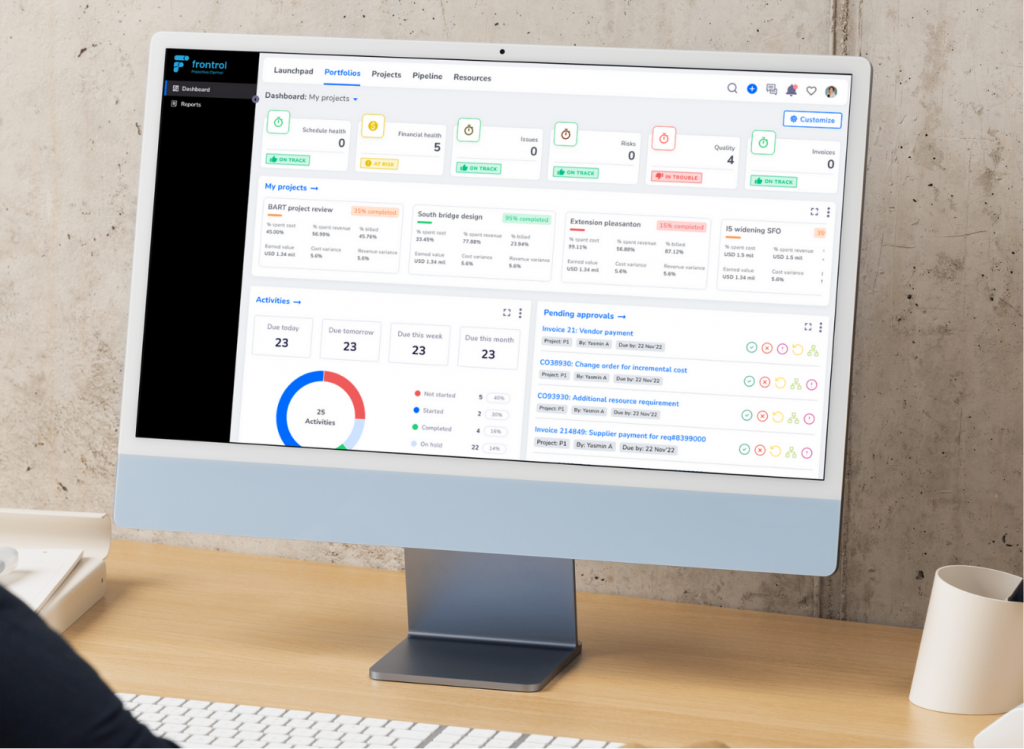
Field teams are unlikely to log into a separate enterprise system just to update a status. PACE’s Microsoft Teams integration puts relevant project information inside the environment people already use every day. For adoption, that can matter more than another feature on a spec sheet.
The Vocabulary Problem Is Real
One of the problems most organizations overlook is vocabulary. A lot of project management software speaks the language of software development like sprints, backlogs, and feature releases. Those terms mean something to a scrum team, but they don’t help a controls engineer managing a fixed-price EPC contract, or a portfolio manager reporting to a state DOT.
This isn’t just about terminology. When the language of the software doesn’t match the way the work actually happens, teams have to adapt their processes to fit the tool or work around the parts that don’t. Either way, useful information can end up buried behind terminology and workflows that weren’t designed for their environment.
Frontrol takes a different approach by building around the language of project delivery and project controls. Earned value, forecast-to-complete, work breakdown structure, change, and risk aren’t just industry terms for us. They’re how project teams already think about the work they’re responsible for delivering.
From Disconnected Actions to a Connected Record
The value of connecting actions to the broader project becomes clearer when you look at how a single item moves through the delivery process.
Before: A Project Controls Manager tracking action items across a WBS has to check four different places to confirm that one item is actually closed. (1) The task tool shows the status, (2) an inbox holds the approval, (3) a spreadsheet shows the schedule connection, (4) a shared drive contains the supporting documentation.
After: That same action lives within the project delivery environment from the moment it’s created. It’s connected to the WBS activity it affects and routed through the required approval process. When it closes, there’s a record of who approved it and when. The information is available to the people who need it without someone having to pull everything together into a separate report.
The difference? It’s not better action tracking but the presence of context.
On a capital project, an action is rarely just an action. It can be tied to a schedule activity, a contract obligation, a change, a risk, or a decision. When those connections live together, teams spend less time reconstructing what happened and more time managing what happens next.
Capital projects don’t need another task list. They need actions that are connected to the work around them.
Frequently Asked Questions (FAQs)
- What’s the difference between action tracking and a project delivery execution platform?
Action tracking software tells you whether a task is open, in progress, or complete. A project delivery execution platform like PACE puts that action in the context of the project around it. It can connect the action to the schedule activity it affects, the approval it needs, or the contract or change item it relates to. That gives teams more than a status update. It gives them a clearer view of what the action means for the project.
- How does PACE connect action items to the project schedule?
Actions live within the WBS rather than in a separate task list. That means each action is connected to the part of the schedule it affects, including the deliverable it supports and any downstream activities it could impact. Teams don’t have to compare a separate action list with a P6 schedule just to understand whether a delay could affect the project.
- Can subcontractors or joint venture partners use PACE without full system access?
Yes. PACE supports role-based access, so external stakeholders can see and act on the items relevant to them without giving them access to the entire project environment. This makes it easier to involve subcontractors, joint venture partners, and other external stakeholders while keeping access appropriate to their role.
- How is PACE different from a regular PMIS?
PACE can complement or consolidate PMIS capabilities, but its focus goes beyond project information and reporting. It connects project delivery, project controls, financial data, and enterprise information within one environment. Organizations can continue using systems such as their ERP or scheduling platform as systems of record where appropriate, while PACE connects that information to the broader project delivery process.
From Action Items to Actionable Context
An action item is rarely just an action item on a capital project. It’s tied to decisions, dependencies, approvals, and commitments that give it context. The people behind PACE had dealt with this problem firsthand in enterprise project delivery before building a platform to address it.
Frontrol built PACE to keep that context connected, so teams can see what needs to happen and how it fits into the larger project. That experience now runs across 70+ countries with active PACE deployments.
For Project Controls teams, that means an action’s status is trustworthy the moment someone looks at it. You no longer have to send out a follow-up email. For project leaders, it means an open item shows its real weight in terms of which activity it’s holding up, whose sign-off it’s waiting on, and how long it’s been sitting there. When it closes, the approval trail closes with it.
The goal isn’t to give teams another place to log tasks. It’s to make sure a closed action actually means the work is done, not just that a box got checked.