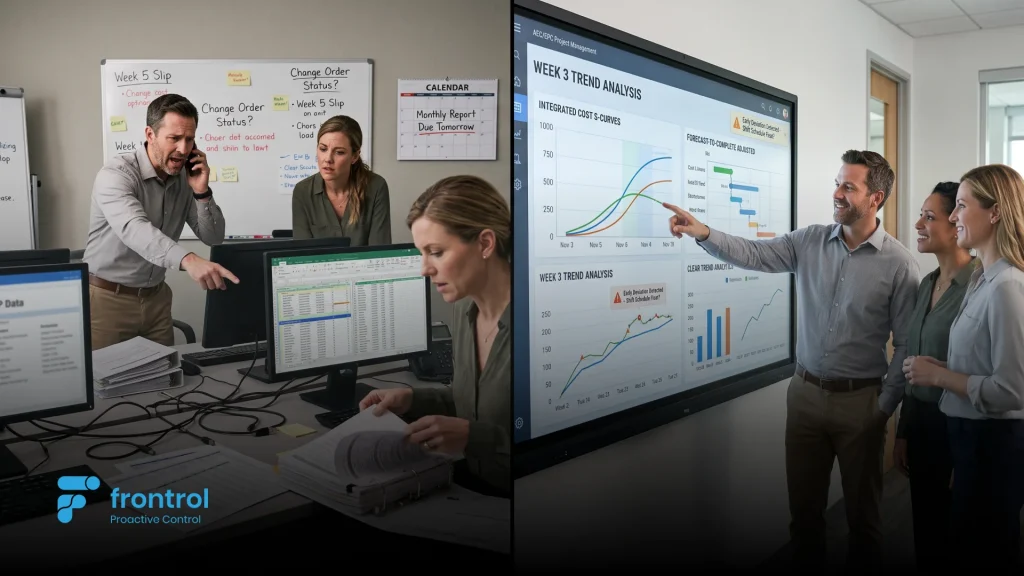
Project management software tells you what’s supposed to happen and whether it happened on time. Project controls software tells you whether the work is actually costing what it should, who’s accountable for the next decision, and whether the contract you’re delivering against is still profitable. For an EPC or AEC firm, that difference isn’t semantic — it’s the difference between managing a schedule and controlling a program.
Most EPC firms don’t lack project management tools. They have task lists, Gantt charts, and status dashboards already. What they’re missing is the layer underneath: cost codes tied to the schedule, documentation with real accountability, and contract governance that doesn’t require a separate spreadsheet to track whether revenue is staying inside what was actually agreed.
This guide covers the six capabilities that separate real project controls from generic project management software, what the gap actually costs a firm delivering contract work, and the questions worth asking before choosing a platform for it.
In This Guide:
→ What “Project Management Software” Actually Tracks → 6 Capabilities That Separate Real Project Controls From Project Management Software → What Generic Project Management Software Costs an EPC Firm → Questions to Ask During an EPC Software Evaluation → How PACE Approaches This, End to End → Frequently Asked Questions (FAQs)
What “Project Management Software” Actually Tracks
Most project management tools are built around one question: is this task done? They’re good at showing dependencies, due dates, and who’s assigned to what. What they were never built to answer is whether the work being tracked is costing what it was supposed to, whether a document being reviewed carries any contractual weight, or whether the revenue booked against a project is still inside what a client actually agreed to pay.
For an internal team managing its own initiatives, that’s often enough. For an EPC or AEC firm delivering contracted work — where cost codes, submittals, RFIs, and revenue recognition all carry legal and financial consequences — it isn’t close to enough. The gap shows up as a second system: a cost control spreadsheet next to the task tracker, a shared drive next to the submittal log, a separate AR tracker next to the project plan. None of it talks to the schedule everyone’s actually looking at.
Real project controls software closes that gap by making cost, documentation, and contract governance native to the same structure as the schedule — not bolted on afterward.
6 Capabilities That Separate Real Project Controls From Project Management Software
These are the capabilities EPC and AEC firms should expect from software that controls delivery, not just tracks it.
1. A Schedule That’s Actually Connected to Cost
A task with a due date isn’t the same as a task with a cost code. Real project controls require every piece of the schedule to carry financial structure — down to the level where actual cost is allowed to post.
- Can cost codes only be assigned at the lowest, most granular level of the cost structure — never at a summary level?
- Does the schedule recalculate start and end dates automatically as dependencies change?
- Can indirect costs (overhead, fringe) be modeled separately from direct cost codes?
Inside PACE: PACE enforces leaf-node cost codes at the data level — only the lowest-level, most granular cost code can be selected, with the system explicitly rejecting summary-level codes. A Forward Pass Engine derives every task’s dates automatically from its dependencies, and a separate Burden Schedule applies indirect cost multipliers at the task level, decoupled from direct costing.
2. Progress That’s Calculated, Not Estimated
Physical progress reported as a rounded guess — “we’re about 60% done” — creates disputes at billing time and hides schedule risk until it’s too late to react to. Real project controls calculate progress from actual quantities, not a gut-feel percentage.
- Is Percent Complete calculated from actual quantities against planned quantities, rather than entered manually?
- Can progress be measured at multiple levels — a deliverable and its sub-components — and roll up automatically?
- Does reaching 100% trigger a formal approval step, rather than just closing the item silently?
Inside PACE: PACE calculates Percent Complete automatically as Actual Quantity divided by Planned Quantity, with support for Deliverable Elements that roll progress up to their parent deliverable. Reaching 100% triggers an approval workflow — either the Task Manager or, for element-based deliverables, every assignee — so nothing gets marked done without a formal sign-off.
3. Document Control With Real Accountability
Shop drawings, submittals, and technical documentation carry legal weight on a construction or engineering project. A shared drive with a folder structure isn’t document control — it’s just storage. Real project controls make it explicit, at every moment, whose responsibility a document currently is.
- Does every submittal carry an explicit Ball in Court — the person or role responsible for the next action?
- Can subcontractors upload directly without needing a full software license?
- Is there a version ledger showing exactly which version was approved, and when?
Inside PACE: PACE routes every submittal through a 5-stage cycle (Register → Request → Submit → Review → Distribute & Close) with a Ball in Court assignment at each step, and lets subcontractors upload through a secure external link without a full PACE license. A Version Ledger keeps a timestamped record of every approved version — a defensible audit trail, not a folder full of files named “final_v3.”
4. Technical Clarifications That Don’t Get Lost in Email
RFIs are where ambiguity in the field either gets resolved formally or turns into a dispute six months later. If clarifications live in email threads, there’s no reliable record of who asked what, who answered, and when the answer actually reached the field.
- Does the platform support both a standard creator-to-manager review path and a fast-track path for manager-initiated RFIs?
- Is there a formal step to distribute a final answer to specific stakeholders before closing the RFI?
- Does the system push teams to write specific questions rather than vague ones?
Inside PACE: PACE supports two distinct RFI paths — a Creator-initiated route (Draft → Registered → Submitted for Review) and a faster Manager-initiated route that skips straight to formal review — plus a Distribute & Close step where the manager selects exactly which stakeholders need the final answer before the RFI closes. The system’s own guidance is explicit that a vague question (“please clarify drawing”) isn’t acceptable without naming the exact drawing, section, or conflict.
5. Multi-Project Governance Without Losing Sub-Project Detail
EPC firms rarely deliver one project in isolation — related work often sits under a shared client relationship or master agreement. Managing that portfolio shouldn’t mean losing visibility into any individual project, or risking the same revenue getting counted under more than one agreement.
- Can multiple related projects be grouped under one program with a single approval workflow?
- Does revenue get validated against what was actually agreed with the client, not just tracked separately?
- Is a project prevented from being added to more than one program at a time?
Inside PACE: PACE’s Program Management groups related contract projects under shared governance, with client agreements created automatically at each sub-project once the program is approved — and a hard validation that revenue can never be booked to exceed the agreement amount. A project can only belong to one program, preventing the double-counted revenue that quietly distorts a portfolio’s real financial picture.
6. Financial Visibility Built for Contract Delivery, Not Generic Reporting
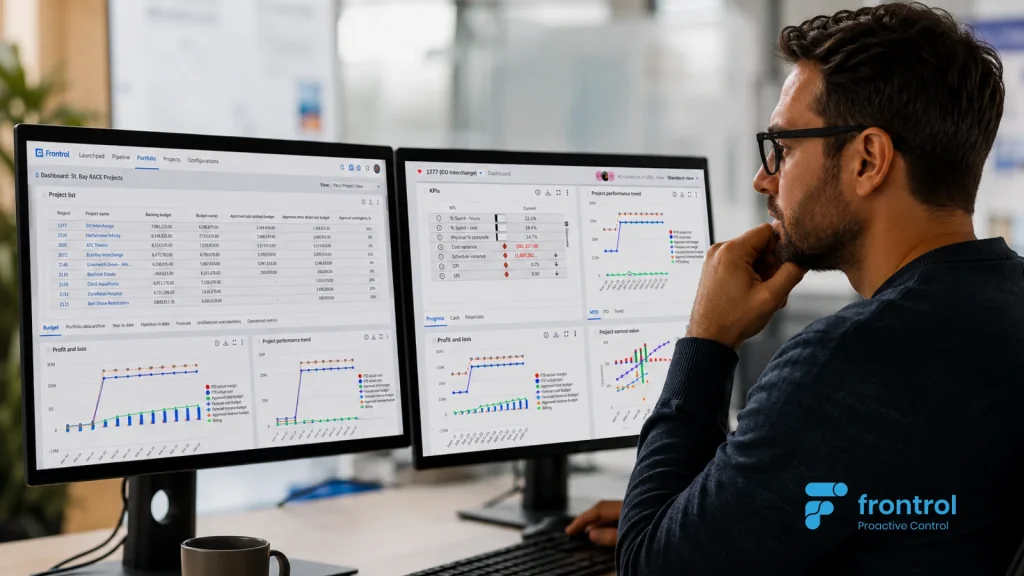
A generic project dashboard shows task status. An EPC firm needs to see aged receivables, unbilled revenue, and profit and loss by project — the numbers that actually determine whether a contract is being delivered profitably, not just on schedule.
- Are dashboard widgets specific to contract-based delivery — AR aging, billing status, profit and loss — rather than generic task metrics?
- Can commitments (POs) and supplier invoices be reviewed alongside schedule and cost data in the same view?
- Is change order status visible by financial value, not just by count?
Inside PACE: PACE’s portfolio dashboards for Contract-class work include dedicated widgets for Aged AR trend, Aged unbilled trend, Billing & AR details, Net receivables, Profit and loss, Commitments detail & PO status, and Change order financial trend — financial visibility built around how EPC and AEC firms actually get paid, not a generic task-completion view repurposed for finance.
What Generic Project Management Software Costs an EPC Firm
Consider an EPC firm running a $30M program consolidated from five related sub-projects under one client relationship, with a total agreement value of $32M. In project management software with no program-level revenue governance, each sub-project’s revenue budget gets set independently — and it’s entirely possible for the combined revised revenue across all five to creep past what the client actually agreed to, unnoticed until a client audit or a difficult renewal conversation surfaces it.
In a system that validates revenue against the agreement at the sub-project level, that same scenario gets caught automatically: a sub-project attempting to revise its revenue budget above what the agreement supports is blocked before it happens, not flagged after the invoice goes out.
Now take a single $2M sub-project. A cost code entered at a summary level — because the software doesn’t enforce leaf-node granularity — means $180K in change order cost gets misclassified under the wrong discipline. Nobody notices until the monthly cost report doesn’t reconcile, and someone spends two days tracing which tasks actually absorbed that spend. In a system that only allows costing at the lowest level of the structure, that misclassification simply isn’t possible in the first place.
This is an illustrative scenario, not a specific customer figure — but the mechanism is exactly what happens when cost, documentation, and contract governance sit outside the schedule instead of inside it.
Questions to Ask During an EPC Software Evaluation
- Can cost codes only be assigned at the lowest level of the financial structure, or can cost post to a summary node?
- Is Percent Complete calculated automatically from actual quantities, or entered manually by each project lead?
- Does every submittal carry an explicit owner for the next required action?
- Can subcontractors interact with submittals and RFIs without needing a full software license?
- Can related projects be grouped under a shared program without losing individual project-level detail?
- Does the platform validate project revenue against the actual client agreement, or track them separately?
- Are financial dashboards built around contract-delivery metrics — AR aging, billing, profit and loss — or generic task status?
- Is there a version-controlled, timestamped record of which document version was actually approved?
How PACE Approaches This, End to End
The pattern across all six capabilities is the same: PACE treats cost, documentation, and contract governance as native parts of the same structure as the schedule — not separate systems a project controls team has to reconcile by hand. A cost code, a submittal, an RFI, and a program-level agreement all live inside the same data model as the task they relate to, so accountability and financial accuracy aren’t dependent on someone remembering to update a second spreadsheet.
That’s a meaningfully different starting point than most project management software, which was built to answer “is this task done” and had cost, documents, and contracts added on as afterthoughts. For an EPC or AEC firm delivering contracted work, that difference determines whether the numbers finance sees at the end of the month are numbers anyone can actually stand behind.
Frequently Asked Questions (FAQs)
What’s the difference between project management software and project controls software?
Project management software tracks tasks, dependencies, and status. Project controls software connects that same schedule to cost codes, document accountability, and contract governance — answering not just whether work happened on time, but whether it’s costing what it should and whether the contract behind it is still sound.
Can subcontractors access submittals and RFIs without a full PACE license?
Yes. Subcontractors can upload submittal responses through a secure external link scoped only to the specific requests assigned to them, without needing a full PACE license.
How does PACE prevent cost from posting to the wrong level of the WBS?
PACE only allows cost codes to be selected at the lowest, most granular level of the financial structure — the system explicitly rejects an attempt to post cost against a summary-level code.
What happens if a sub-project’s revised revenue budget doesn’t match the program’s agreement?
PACE validates this at the data level: a sub-project’s revenue budget cannot be revised to exceed the amount actually agreed with the client under the program’s agreement — the system blocks the change rather than flagging it after the fact.
Can an EPC firm manage multiple related projects under one program?
Yes — PACE’s Program Management groups related contract projects under shared governance and a single approval workflow, while a project can only belong to one active program at a time, preventing double-counted budgets or revenue.
How is RFI routing different when a manager initiates it directly?
A Manager-initiated RFI skips the creator-to-manager review loop and goes straight to formal review after registration, while a Creator-initiated RFI follows the full Draft → Registered → Submitted for Review path — giving teams a faster route when a manager already knows the RFI needs to move quickly.
Does PACE calculate progress automatically, or does someone enter it manually?
Progress can be measured either way depending on the task, but for deliverables, Percent Complete is calculated automatically as Actual Quantity divided by Planned Quantity — reducing reliance on a manually estimated percentage.