How to Choose Project Controls Software: 10 Key Capabilities to Evaluate
The term “project controls software” is used so broadly that many products marketed under the label are essentially project management tools with dashboards.
They may track tasks, display project information, and produce status reports, but they often lack the connected cost, schedule, forecasting, risk, and performance capabilities needed to support proactive project control.
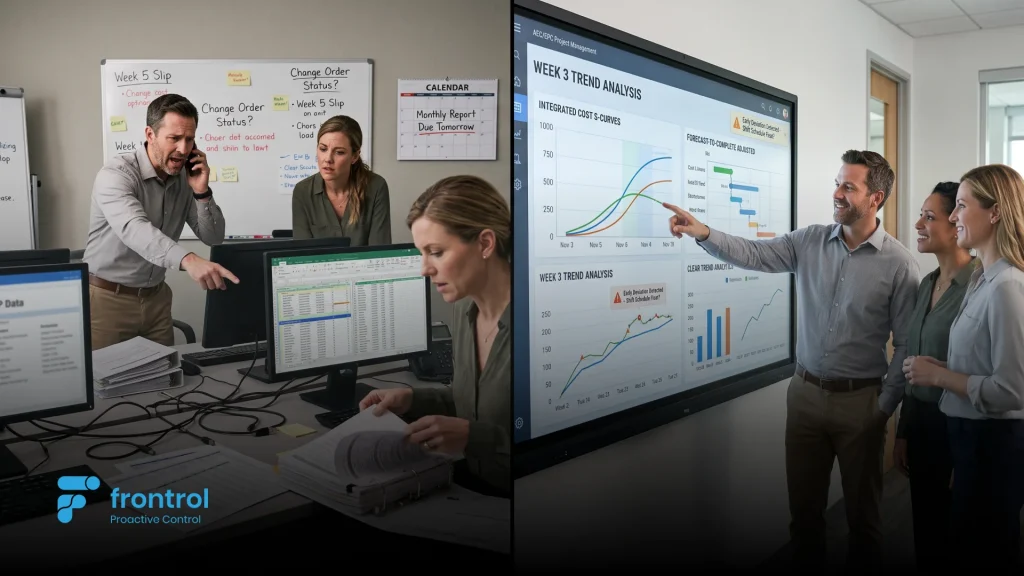
Most organizations do not begin evaluating new software because everything is working well. They start because forecasts repeatedly miss the mark, project teams spend too much time reconciling spreadsheets, or leadership requests a program update that takes several days to assemble.
The problem is rarely a lack of data. The problem is that critical project information is fragmented across multiple systems and cannot be brought together quickly enough to support timely decisions.
This guide explains what project controls software should do and the capabilities enterprise organizations should evaluate before selecting a platform.
Project controls exist to answer a fundamental question: Is the project performing the way we expected, and where is it likely to finish?
Answering that question requires more than knowing how much money has been spent or whether individual tasks have been completed.
To understand how a project is really performing, there must be a complete view of project performance:
- Approved budgets and baseline schedules
- Actual costs and commitments
- Physical progress
- Forecasts and remaining work
- Risks, issues, and changes
- Resource requirements
- Milestones and contractual obligations
- Expected cost and schedule outcomes
In practice, this information often resides in different systems.
Schedules may be maintained in Primavera P6 or Microsoft Project. Actual costs may sit in an ERP system. Forecasts may be managed in spreadsheets. Risk registers, change logs, resource plans, and status reports may be maintained somewhere else entirely.
When those systems are not connected, understanding project health becomes a manual exercise.
Teams spend valuable time exporting data, reconciling reports, identifying conflicting versions, and confirming whether information is current. By the time a clean status report has been assembled, project conditions may already have changed.
Effective project controls software connects this information so teams can identify emerging problems early enough to take corrective action—not simply explain what went wrong after the reporting period has closed.
1. Connected Cost, Schedule, and Progress
The first question is whether the platform genuinely connects the core components of project performance.
Can it bring together:
- The approved project baseline
- Schedule activities and milestones
- Budget and cost breakdown structures
- Actual costs and commitments
- Physical progress
- Estimate to Complete
- Estimate at Completion
- Forecast dates and completion trends
These elements should not operate as separate reporting categories. They should form part of a connected project model.
When cost, schedule, and progress are linked, a project team can understand not only what has happened, but what the current performance trend means for the expected outcome.
2. Forecasting Depth
Many platforms can display budget versus actual cost. That does not make them a project controls platform.
A capable solution should support forward-looking forecasting, including:
- Bottom-up Estimate to Complete development
- Estimate at Completion calculations
- Time-phased cost forecasts
- Cash-flow forecasting
- Forecast versions and comparisons
- Forecast assumptions
- Remaining duration and resource requirements
- Trend analysis
- Contingency analysis
Project controls should help teams understand where the project is heading, not simply report where the money has already been spent.
Buyers should ask vendors to demonstrate how project managers update forecasts, how assumptions are documented, and how changes to cost or schedule expectations are reviewed and approved.
3. Performance Measurement and Earned Value Management
Earned Value Management is one of the most established methods for measuring integrated cost and schedule performance.
A capable platform should support key measures such as:
- Planned Value
- Earned Value
- Actual Cost
- Cost Performance Index
- Schedule Performance Index
- Estimate to Complete
- Estimate at Completion
- Cost Variance
- Schedule Variance
- To-Complete Performance Index
Together, these measures show not only how much has been spent, but how much value has been delivered for that expenditure.
For example, assume a project planned to complete $1 million of work by the reporting date. The project has spent $950,000 but completed only $800,000 of planned value.
A conventional budget report may suggest that spending is below plan. Earned Value Management reveals a different picture:
- CPI = $800,000 ÷ $950,000 = 0.84
- SPI = $800,000 ÷ $1,000,000 = 0.80
The project is earning only $0.84 of value for every dollar spent and has completed only 80% of the work planned for the period.
Even organizations that do not operate a formal EVM program should expect their project controls platform to connect baseline plans, actual costs, physical progress, and forecasts.
Without that connection, project performance metrics can quickly become historical reports rather than early-warning indicators.
4. Risk, Issue, and Change Integration
Risk, issue, and change management should not operate independently from cost and schedule control.
Buyers should evaluate whether the platform can:
- Quantify cost and schedule exposure
- Link risks to affected work packages or milestones
- Convert realized risks into issues or changes
- Track potential and approved changes
- Assess change impacts
- Update contingency requirements
- Support governance and approvals
- Reflect approved impacts in forecasts and baselines
A risk register that is disconnected from the project forecast provides only limited value.
The same applies to change management. A platform should help teams understand how a proposed or approved change affects cost, schedule, resource requirements, contractual commitments, and expected project outcomes.
5.Portfolio and Program Visibility
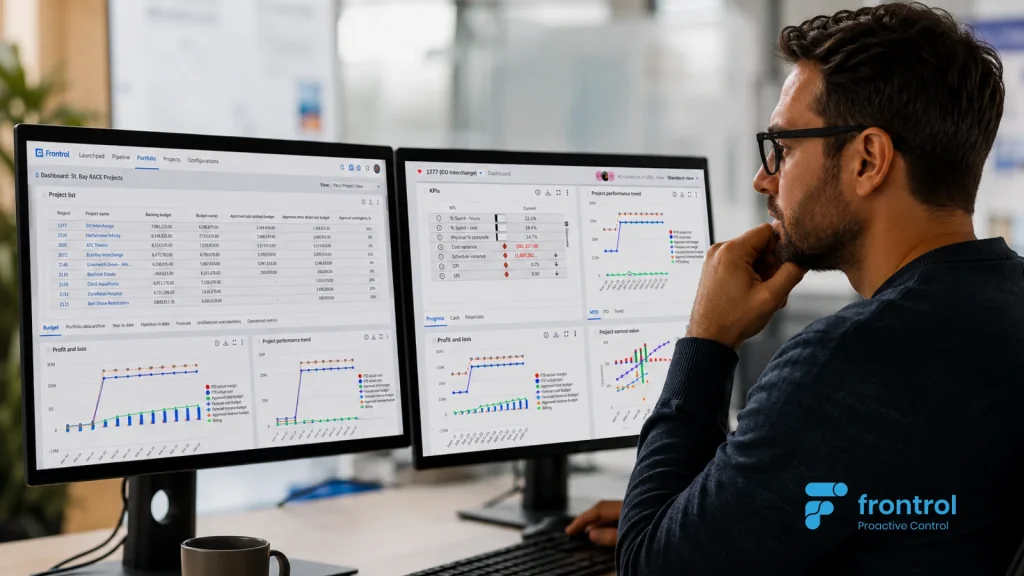
Project controls software should support decisions at more than one organizational level. Executives and PMO leaders need to understand performance across projects, programs, regions, clients, sectors, and business units.
A strong platform should allow users to move from a portfolio-level indicator into the underlying detail driving it.
For example, if a program is showing a deteriorating forecast, leadership should be able to identify:
- Which projects are driving the variance
- Which work packages are underperforming
- Which milestones are at risk
- Which changes remain unresolved
- Which forecasts have recently moved
- Which risks are contributing to the exposure
Portfolio and Program reporting should not require a separate manual consolidation exercise every month.
6. Enterprise Integration
Project controls software should not require organizations to replace every enterprise system already in place.
An ERP can remain the system of record for financial transactions. Primavera P6 or Microsoft Project can continue to support detailed scheduling logic. CRM, HR, document management, and contract systems may continue to perform their existing roles.
The project controls platform should provide the connective layer between them.
Buyers should evaluate integration capabilities across:
- ERP and financial systems
- Primavera P6 and Microsoft Project
- CRM platforms
- Human capital and resource systems
- Document-management systems
- Contract and legal systems
- Business intelligence platforms
- Collaboration tools such as Microsoft Teams
The goal is not to duplicate every source system. It is to bring the information needed for project execution into a unified and governed view.
7. Configurability and Governance
Enterprise organizations rarely deliver only one type of project.
A suitable platform may need to support:
- Engineering and design projects
- Construction projects
- EPC delivery
- Capital programs
- Professional services
- Fixed-price contracts
- Time-and-materials work
- Joint ventures
- Multiple currencies
- Different business units and geographies (Multi-Org hierarchies)
Buyers should determine whether the platform can accommodate different work breakdown structures, cost structures, approval processes, project types, reporting requirements, and governance models without extensive custom development.
Configuration should allow the platform to adapt to the organization while still maintaining common standards and controls.
8.Usability and Adoption
A technically capable platform provides little value if project managers and delivery teams do not use it consistently. Usability should therefore be treated as a project-controls requirement—not simply a design preference.
The evaluation should include:
- Ease of updating forecasts and progress
- Role-based screens and workflows
- Mobile and browser accessibility
- Embedded guidance and training
- Approval notifications
- Data-entry requirements
- Microsoft Teams integration
- Digital adoption support
- Reporting automation
Buyers should ask to see how an actual project manager, cost engineer, scheduler, or program leader would complete routine work.
A polished executive dashboard is useful, but it does not reveal how difficult the underlying information is to maintain.
9. AI, Traceability, and Human Oversight
AI can add significant value to project controls, but only when it operates on connected, current, and trustworthy execution data.
A chatbot added to a fragmented legacy environment will still be constrained by fragmented information.
Useful AI capabilities may include:
- Identifying emerging cost or schedule trends
- Highlighting unusual forecast movements
- Summarizing project status
- Explaining the factors behind variances
- Prioritizing risks and issues
- Identifying incomplete or inconsistent data
- Predicting potential project outcomes
- Recommending actions for review
Buyers should evaluate whether the platform supports analytical, predictive, generative, and agentic AI capabilities—and how each is governed.
Important questions include:
- What data does the AI use?
- How current is the information?
- Can users trace conclusions back to the source data?
- Does the AI respect user permissions?
- Which actions require human review and approval?
- Is the AI identifying trends or simply summarizing text?
- Can users validate the assumptions behind its conclusions?
The purpose of AI in project controls should not be to remove decision-making from experienced professionals. It should give them earlier visibility and faster access to the information needed to make better decisions.
10.Implementation, Scalability, and Total Value
Software capability is only one part of the decision. Buyers should also evaluate whether the vendor can provide a realistic implementation approach.
Important considerations include:
- Data readiness
- Integration complexity
- Project and portfolio volume
- Configuration requirements
- Migration from spreadsheets or legacy systems
- Training and adoption
- Governance design
- Phased deployment options
- Security and access controls
- Ongoing support
A phased implementation may begin with reporting and portfolio visibility before expanding into forecasting, earned value, risk, change, and broader project-execution capabilities. Organizations should also consider total cost of ownership rather than license cost alone.
The full business case may include:
- Software subscriptions
- Implementation services
- Integration development
Not every platform that offers dashboards is a project controls platform.
Reporting tools are primarily designed to display and analyze information. Project controls platforms manage the connected execution data, workflows, assumptions, and governance behind that information.
When evaluating a platform, buyers should ask:
- If the schedule slips, can the platform identify potential cost and forecast implications?
- Can teams update ETC and EAC through a controlled process?
- Can quantified risk exposure be incorporated into contingency and forecasting?
- Is progress calculated from real activities, quantities, deliverables, or rules of credit?
- Is progress based on objective evidence or a subjective percentage entered once a month?
- Can the platform distinguish budget, actual cost, commitments, accruals, forecast, and remaining exposure?
- Can users trace a portfolio-level variance back to the project data causing it?
- Does the system explain why performance is changing, or only display the result?
These questions help distinguish a connected project controls environment from a reporting layer placed over disconnected systems.
Software demonstrations should be based on realistic project scenarios rather than a sequence of preconfigured dashboards.
Ask each vendor to demonstrate how the platform would handle the following situations:
- A major schedule milestone slips by six weeks. Show the potential impact on resources, cost, forecast, and completion date.
- A project manager revises the Estimate to Complete. Show how the change is documented, reviewed, approved, and reflected in the Estimate at Completion.
- A significant project risk is triggered. Show how it becomes an issue or change and how its cost and schedule implications are assessed.
- Leadership identifies a deteriorating portfolio indicator. Show how users can trace it back to the projects and work packages driving the movement.
- Actual cost arrives from the ERP. Show how it is mapped to the project structure and compared with commitments, earned value, and forecast.
- Project progress is updated. Show whether the progress is supported by schedule activities, deliverables, quantities, or measurable rules of credit.
- A new project type is introduced. Show what can be configured and what requires custom development.
- An executive asks for an immediate status update. Show how the platform produces the report and how current the underlying data is.
- An AI-generated insight identifies an emerging variance. Show the source data, assumptions, and recommended next steps.
- A new user joins the project. Show how role-based access, Microsoft Teams integration, embedded guidance, and training support adoption.
Selecting a scheduling tool is only one part of the decision. The harder challenge is connecting cost, schedule, progress, risk, change, and forecast so project teams and leaders can understand where a project is heading with enough time to act.
That is the approach behind PACE, Frontrol’s collaborative execution platform.
1. Does project controls software replace project management software?
Not necessarily. Project management software typically supports task coordination, scheduling, collaboration, and resource management. Project controls software adds connected cost, progress, forecasting, risk, change, and performance measurement. Some enterprise platforms cover both areas, while others integrate with existing project-management and scheduling tools.
2. Can project controls software integrate with ERP, scheduling, or CRM systems?
Yes. A capable enterprise project controls platform should integrate with existing systems rather than require every system to be replaced. Cost data may come from the ERP, schedule data from Primavera P6 or Microsoft Project, opportunity and client information from the CRM, and resource information from HR systems. The project controls platform brings the information together into a governed view of project performance.
3. What is the difference between project controls software and project reporting software?
Project reporting software primarily displays and analyzes information. Project controls software also supports the processes behind the information, including forecasting, progress measurement, earned value, risk assessment, change control, approvals, and performance management.
A dashboard may show that a project is behind plan. A connected project controls platform should help users understand why it is behind, what the likely outcome will be, and what actions are available.
4. How long does it take to implement project controls software?
Implementation time depends on the number of integrations, project types, data quality, governance requirements, and rollout scope. A phased deployment can begin with reporting, analytics, and portfolio visibility before introducing broader forecasting, earned value, risk, change, and execution capabilities. The vendor should provide a realistic implementation plan based on the organization’s actual environment rather than a generic timeline.
5. What does project controls software cost?
Pricing may vary based on factors such as:
Number and type of users
Project and portfolio volume
Required functionality
Configuration
Data migration
ERP and scheduling integrations
Training and adoption
Security requirements
Support services
Organizations should evaluate total cost of ownership and expected business value rather than subscription cost alone.
6. Is Earned Value Management required for every project?
Not every organization needs to operate a formal EVM program on every project. However, all project teams benefit from connecting the approved plan, actual cost, physical progress, remaining work, and expected outcome. A capable platform should support formal EVM where required while also providing practical performance measurement for projects that use a less formal controls framework.
7. How should AI be evaluated in project controls software?
AI should be evaluated based on the quality and currency of the data it uses, the traceability of its conclusions, and the controls surrounding its recommendations or actions. Buyers should look for AI that operates on live project-execution data and supports experienced professionals with earlier insight—not a standalone chatbot that simply summarizes disconnected information.